OpenAI
Use Producer Pal with OpenAI's GPT models through the built-in chat interface.
Pay-as-you-go Pricing
The OpenAI API uses pay-as-you-go pricing which can add up with long conversations. Monitor your usage at platform.openai.com. For flat-rate pricing, use the ChatGPT App or ChatGPT web app with an OpenAI subscription instead.
What You Need
- An OpenAI account with API credits
- Ableton Live 12.3+ with Max for Live. Live 12.4 or later is recommended — some features don't work on older versions of Live. Use the version of Max bundled with Live, or make sure your standalone Max is up to date.
1. Get an OpenAI API Key
- Go to platform.openai.com/api-keys
- Sign in with your OpenAI account
- Create a new API key
- Copy the key for the next step
2. Install the Max for Live Device
Download Producer_Pal.amxd, the Producer Pal Max for Live device.
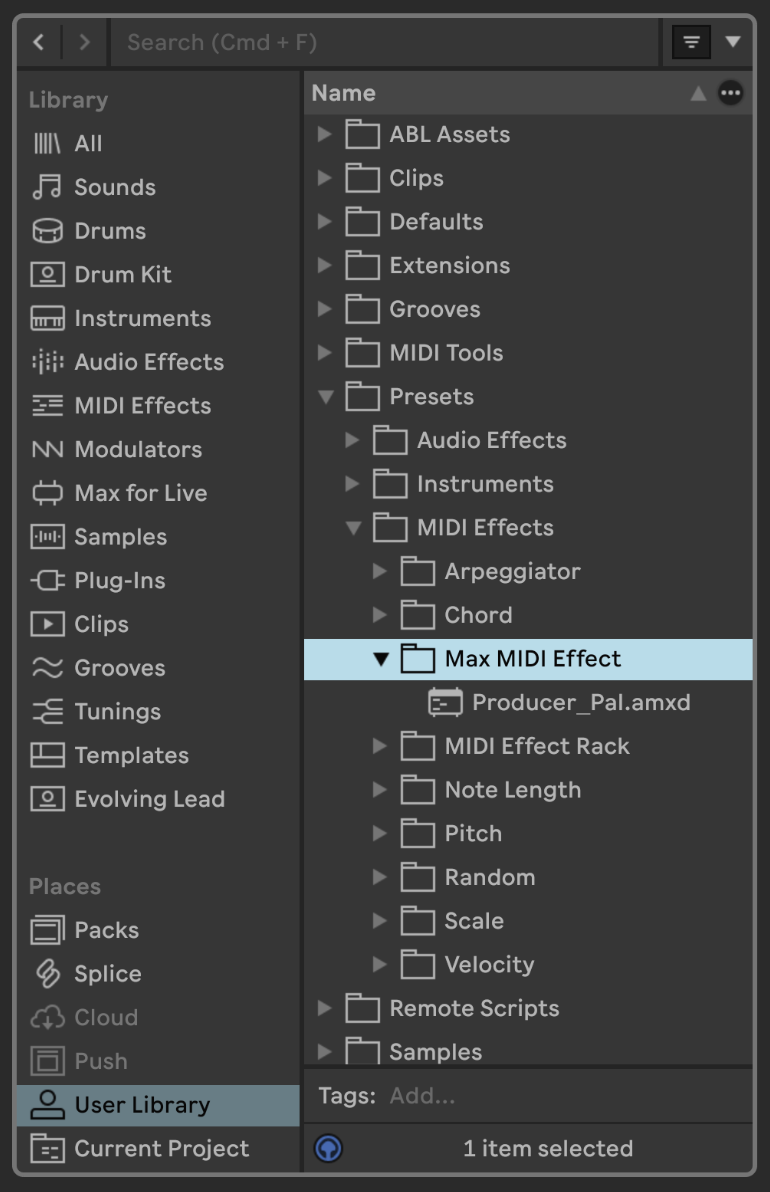
To install it, open User Library (under Places) in Live's browser, go to Presets → MIDI Effects → Max MIDI Effect, and drag Producer_Pal.amxd into that folder:
Drag it from the Max MIDI Effect folder onto a MIDI track:
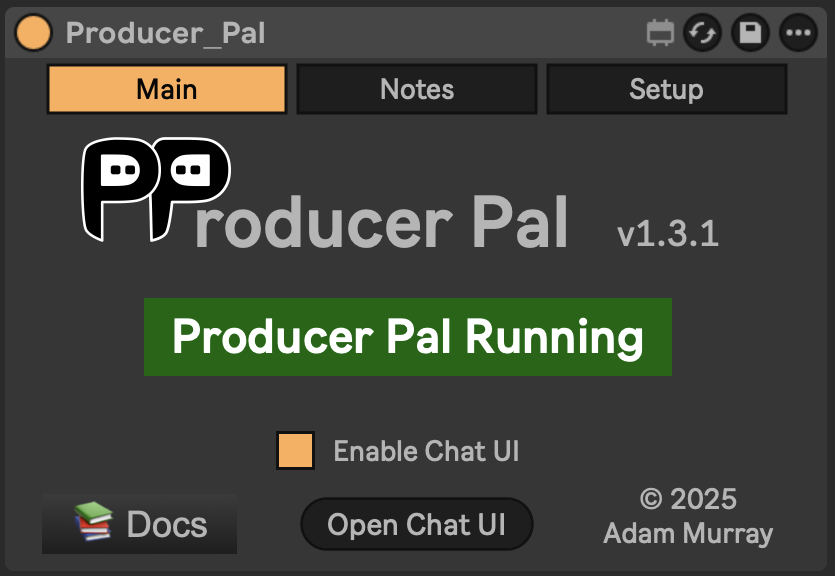
It should display "Producer Pal Running" or something isn't working.
3. Open the Chat UI
In the Producer Pal device, click "Open Chat UI".
4. Configure OpenAI
In the chat UI settings:
- Provider: OpenAI
- API Key: Paste your key
- Model:
gpt-6.1-sol
Click "Save".
5. Connect
Click "Quick Connect" and say "connect to ableton".
Privacy Note
Your API key is stored in browser local storage. Use a private browser session if that concerns you, or delete the key from settings after use.
Troubleshooting
If it doesn't work, see the Troubleshooting Guide.