Claude Desktop Installation
Anthropic's Claude Desktop app is one of the easiest (and recommended) ways to use Producer Pal.
Requirements
Grab both downloads, then follow the steps below:
Ableton Live 12.3+ with Max for Live. Live 12.4 or later is recommended — some features don't work on older versions of Live. Use the version of Max bundled with Live, or make sure your standalone Max is up to date.
Claude Desktop (requires Anthropic account)
Installation Steps
1. Install the Max for Live Device
Download Producer_Pal.amxd, the Producer Pal Max for Live device, and add it to a MIDI track in Ableton Live:
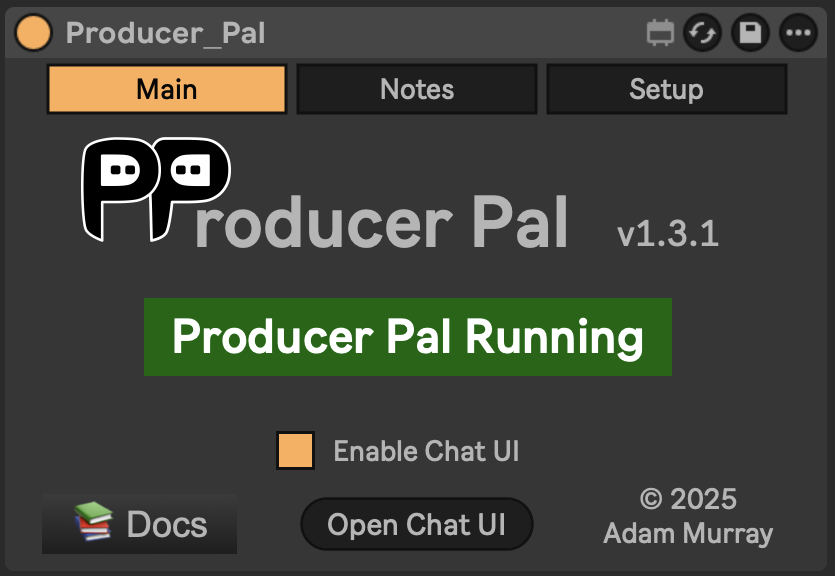
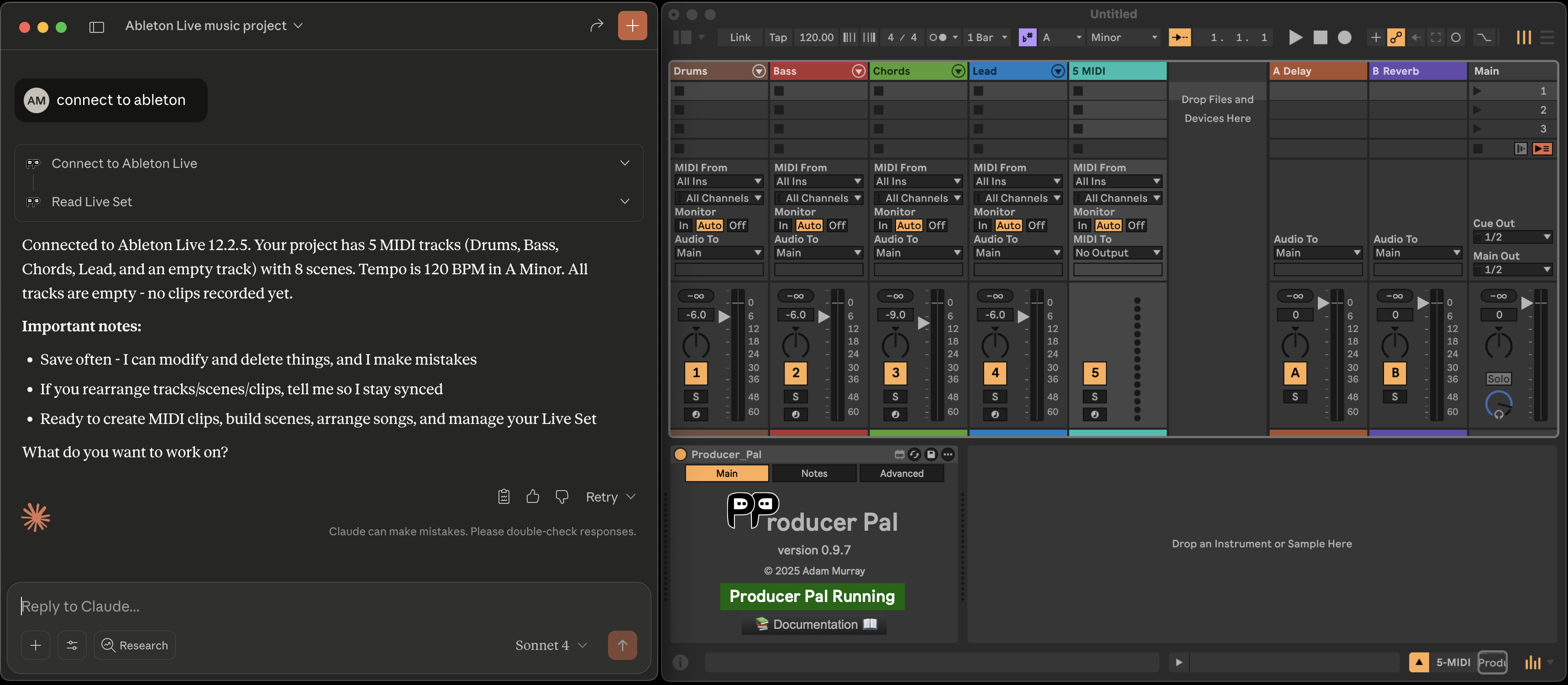
It should display "Producer Pal Running" or something isn't working.
2. Download the Claude Desktop Extension
Download the Producer Pal Claude Desktop Extension (Producer_Pal.mcpb)
3. Install the Extension in Claude Desktop
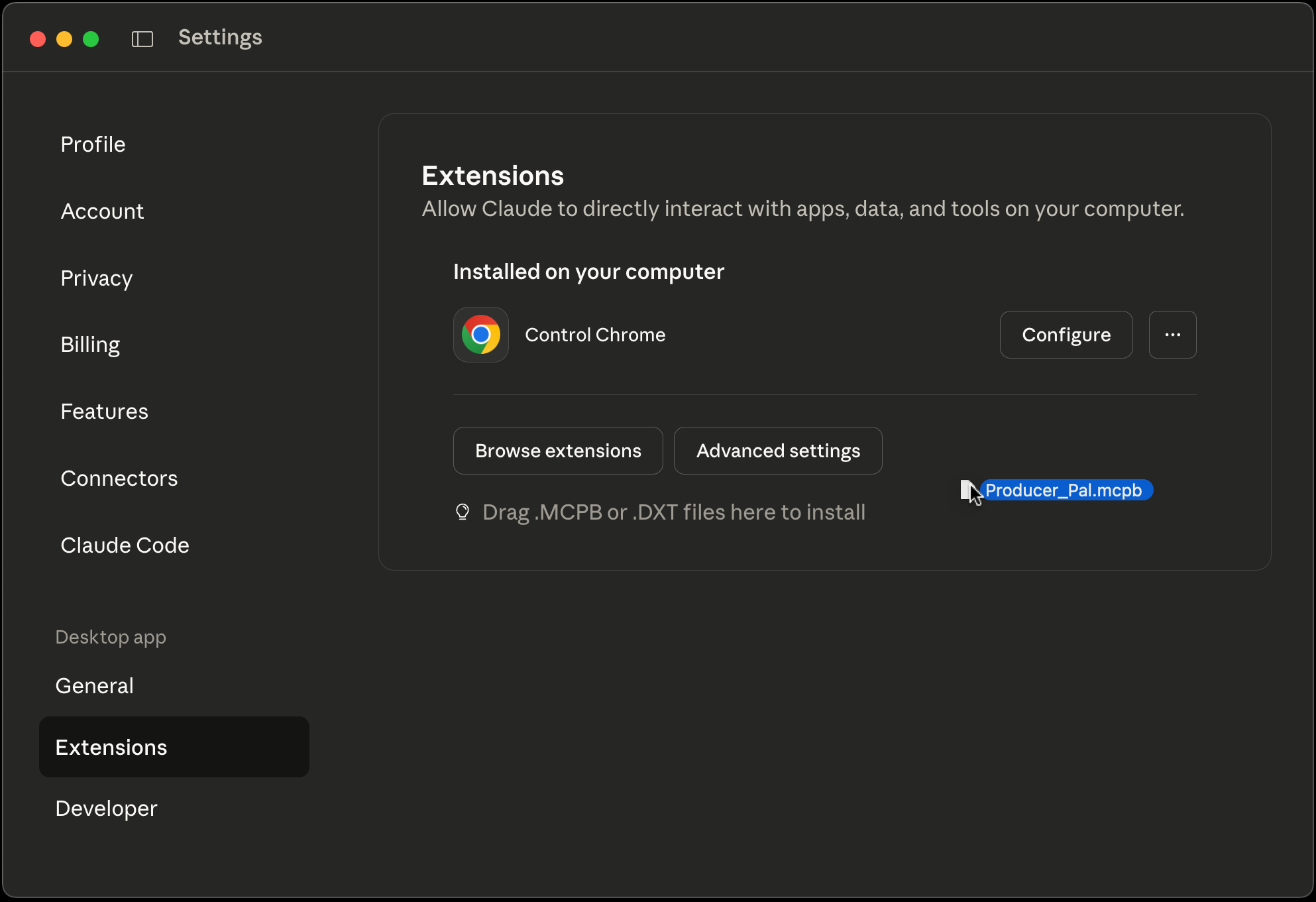
Go to Claude Desktop → Settings → Extensions and:
If you already have extensions installed, drag and drop Producer_Pal.mcpb into the Extensions screen:
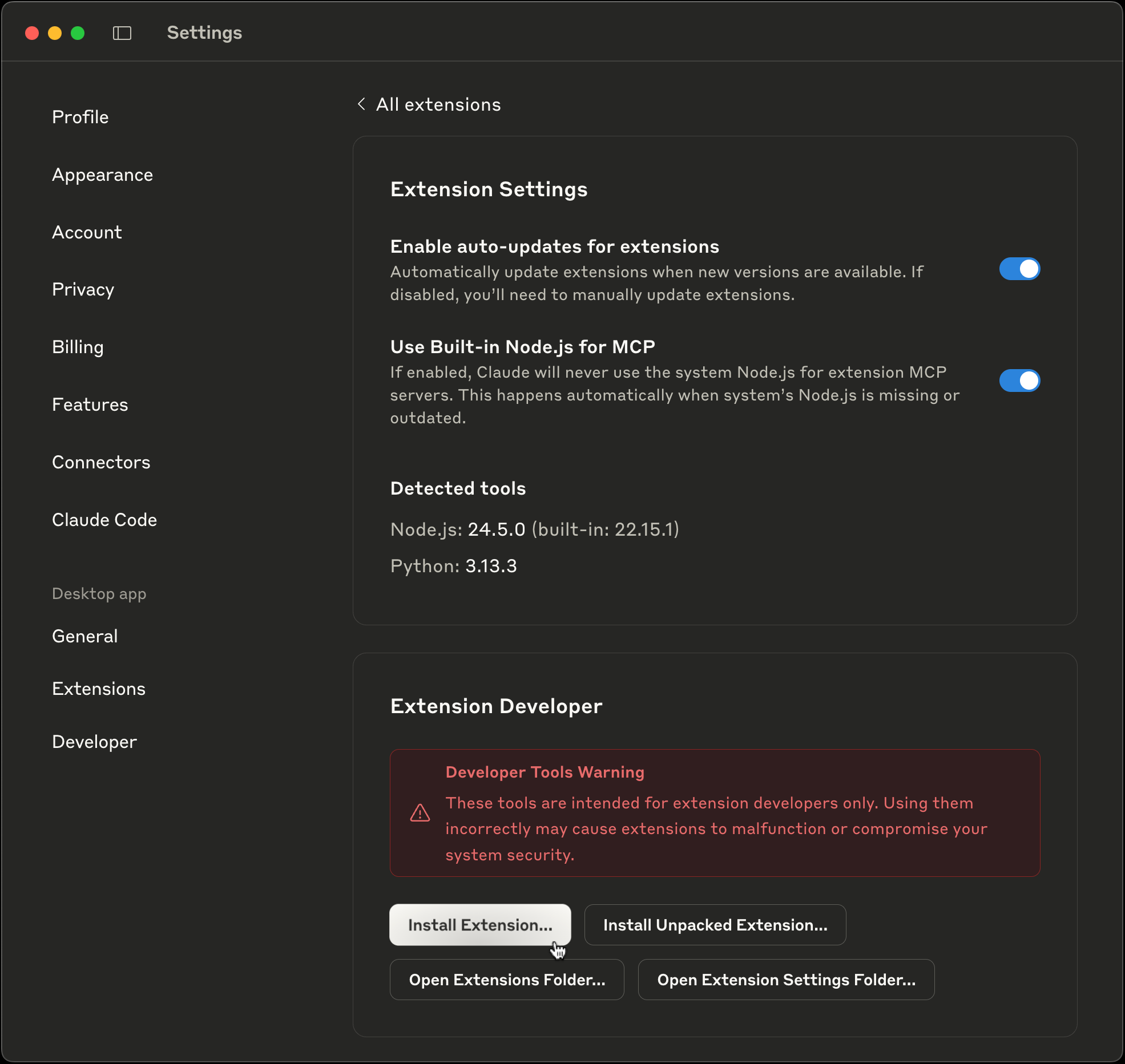
Or, if you have never installed a Claude Desktop extension before, you need to click "Advanced settings" on the Extensions screen, then click "Install extension...", and choose the Producer_Pal.mcpb file.
4. Complete the Installation
Don't forget to click "Install" and complete the Claude Desktop installation:
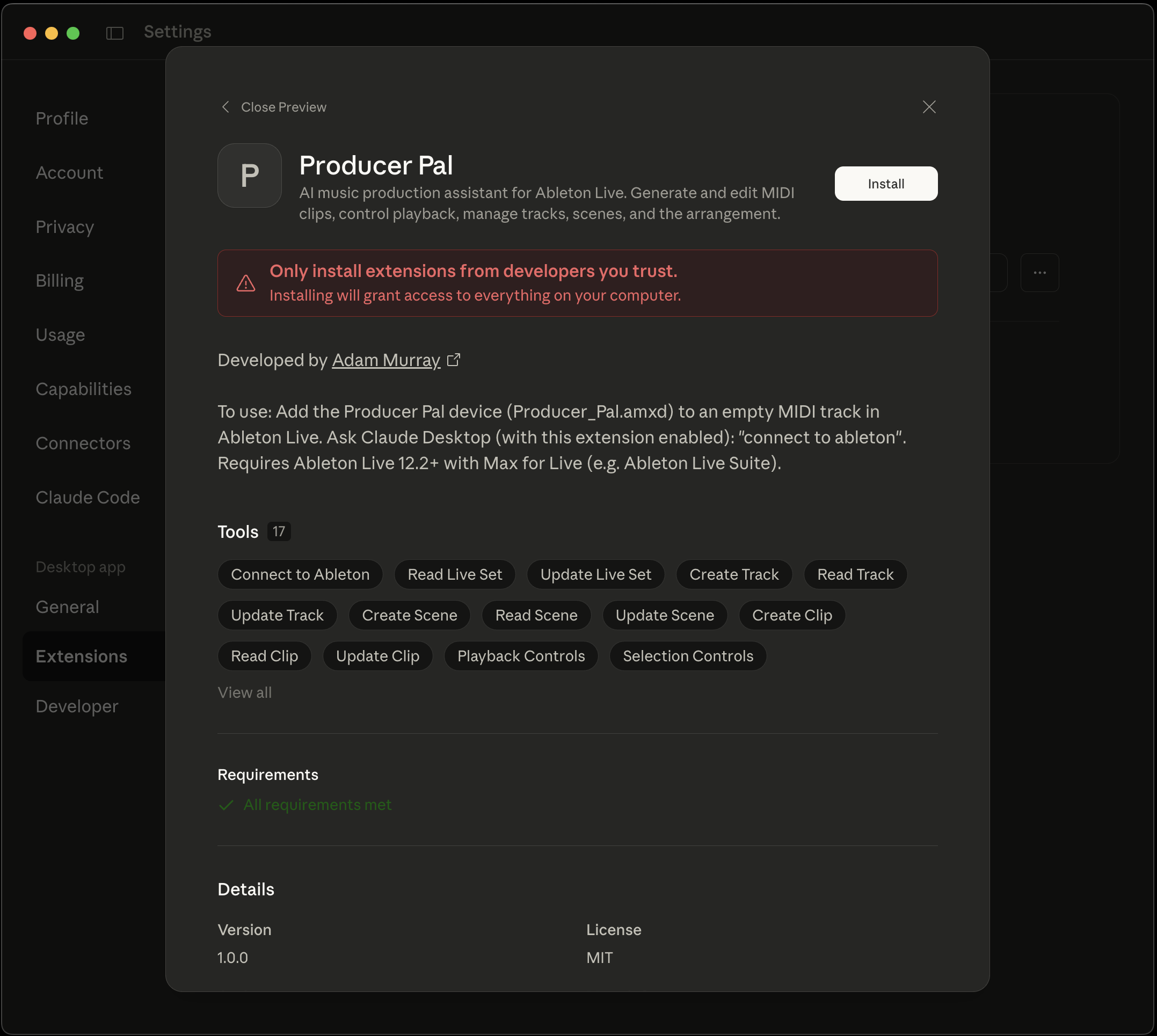
About the security warning: Anthropic displays this warning for all extensions as a general security measure. Producer Pal is open source and you can review the entire codebase on GitHub before installing. The extension only accesses Ableton Live through the Max for Live device.
5. Verify Installation
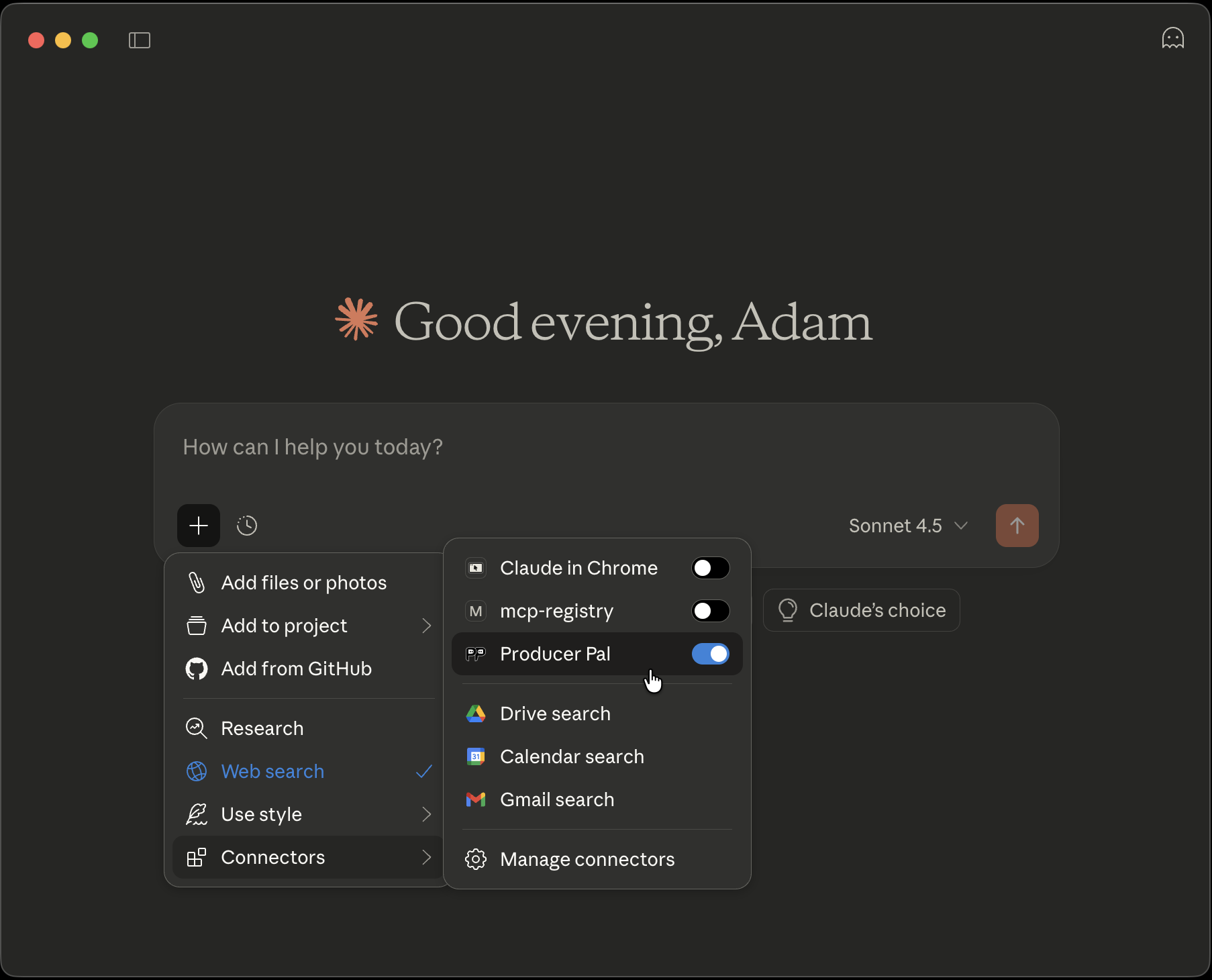
You should see Producer Pal tools in Claude's "Connectors" menu (make sure it's enabled when starting a conversation):
6. Start Using Producer Pal
- Start a conversation with "connect to ableton"
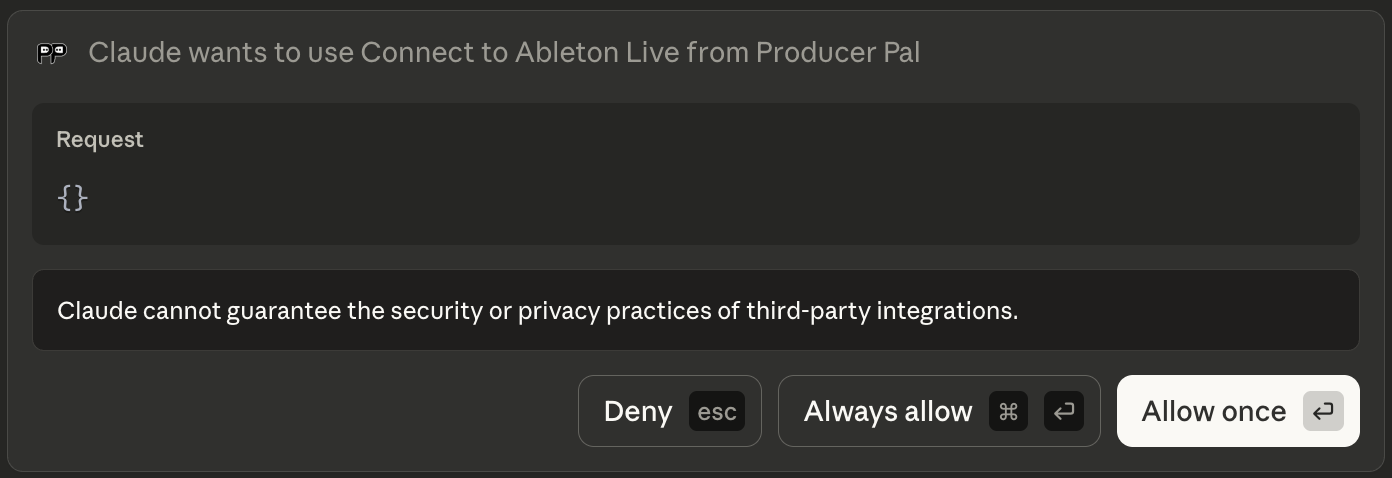
- Allow Producer Pal tools to be used when Claude tries to use them:
Advanced settings
The extension exposes a few optional settings under Claude Desktop → Settings → Extensions → Producer Pal. Most people never need to touch these — the defaults are recommended.
- Ableton device URL — where to reach the Max for Live device (default
http://localhost:3350). Change only if you moved the device's port or are connecting over the network. - MIDI notation — how Producer Pal reads and writes clip notes. Three valid values:
barbeat(recommended for Claude Sonnet, Opus, and Fable),stark(pairs well with Small model mode), ormidi-json(pairs well with JSON output). Leave blank, or enter anything else, to follow the device's current setting (barbeatby default). - Small model mode — simplifies the tools and instructions for smaller models. May improve results with Claude Haiku; not recommended otherwise, since Claude Sonnet, Opus, and Fable handle the full toolset.
- Direct Live API — enables the advanced
ppal-live-apitool for direct access to the Live Object Model. An escape hatch for custom control and debugging when the standard tools aren't enough — not recommended as a default. - JSON output — returns tool results as JSON instead of the compact default. Not recommended for normal use (it increases token usage), but useful when you want Claude to run code on the results.
- Tools / Disable tools — narrow the toolset Claude Desktop sees. Comma-separated tool names (
read-cliporppal-read-clip) and/or groups:core,session,actions,live-set,track,scene,clip,device,advanced,read-only. Withholding a tool also drops the skills that teach it, so every conversation gets smaller.ppal-connectis always kept.
These settings are the extension's own
They apply to Claude Desktop and nothing else — the chat UI and any other connected MCP client keep their own settings.
That cuts both ways for the three checkboxes: Small model mode, Direct Live API, and JSON output are off here unless you turn them on here. Switching them on in the device's Setup tab won't change what Claude Desktop sees. MIDI notation, Tools, and Disable tools are different — leave one blank and the extension follows the device.
Troubleshooting
If it doesn't work, see the Troubleshooting Guide.