API Keys
Use a key straight from one AI company. An API key is a password-like code that lets Producer Pal use your account, and the company charges for what you use. Want models from every company in one account? Use an AI router instead.
What You Need
Ableton Live 12.3+ with Max for Live. Live 12.4 or later is recommended. On Live 12.3 these don't work:
- writing clip automation (reading and clearing it still work)
- loading a sample into Simpler
- the Library tool (searching your library and listing plug-ins)
- finding a preset by name outside a device's own presets (packs' drum kits, Sounds racks, custom folders)
- opening a plug-in's editor window
Use the version of Max bundled with Live, or make sure your standalone Max is up to date.
1. Install the Max for Live Device
Download Producer_Pal.amxd, the Producer Pal Max for Live device.
Open User Library (under Places) in Live's browser, go to Presets → MIDI Effects → Max MIDI Effect, and drag Producer_Pal.amxd into that folder:
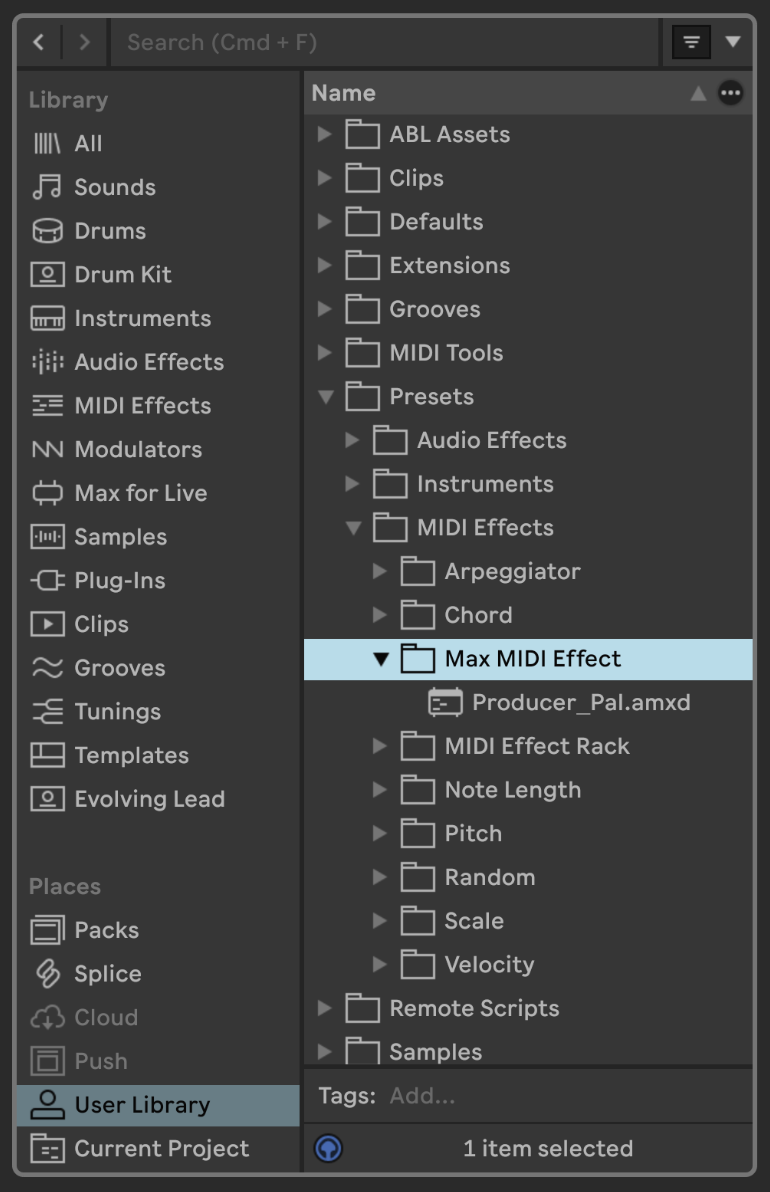
Drag it from the Max MIDI Effect folder onto a MIDI track:
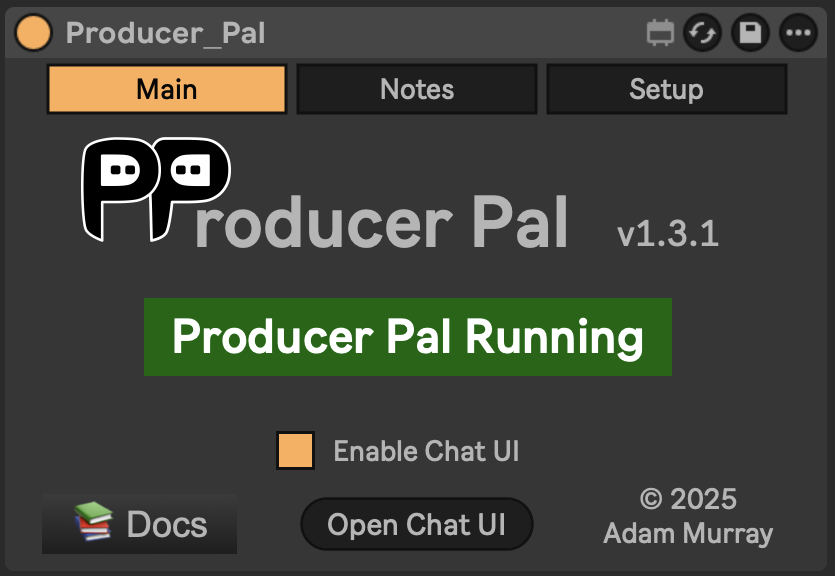
It should display "Producer Pal Running" or something isn't working.
Then finish the installation: click Finish installation… on the device (or Open Chat UI, then Settings → Installation), and click Install there to add the remote script (clip automation, undo, plug-ins).
Restart Live, then choose Producer Pal as a Control Surface in Settings → Tempo & MIDI, with Input and Output left as None.
More in Finish the Installation.
2. Get an API Key
Pick one company:
Gemini
Any free use Google offers won't last long in a real session. For regular use, reach Gemini through an AI router, or use Google Antigravity with a Google AI subscription.
- Get a Gemini API key (sign in with your Google account, then click "Create API Key")
- Settings to use in step 3:
- Provider: Google
- Model:
gemini-3.8-flash(orgemini-4-argonfor more complex tasks)
OpenAI
You need an OpenAI developer account with credit added. A ChatGPT subscription doesn't cover this. For a flat monthly price, use the ChatGPT App or ChatGPT web app instead.
- Get an OpenAI API key
- Settings to use in step 3:
- Provider: OpenAI
- Model: e.g.,
gpt-6.1-sol
Anthropic
Claude models, direct. See Using Claude with Producer Pal for the other ways to run Claude.
- Get an Anthropic API key
- Settings to use in step 3:
- Provider: Anthropic
- Model: e.g.,
claude-sonnet-5-5
Mistral
AI models made in France.
- Get a Mistral API key
- Settings to use in step 3:
- Provider: Mistral
- Model: e.g.,
mistral-large-4
Other Services
For advanced users: any service that works like OpenAI's. Get the service's address ("URL") from its documentation. Settings to use in step 3:
- Provider: Custom (OpenAI-compatible)
- URL: the service's address, e.g.
https://api.groq.com/openai/v1for Groq - Model: the model name, e.g.
llama-3.3-70b-versatile
3. Connect
- In the device, click "Open Chat UI". The chat opens in your browser, and so do its settings the first time.
- Fill in the settings listed above. For an online AI, paste your API key too. Then click "Save".
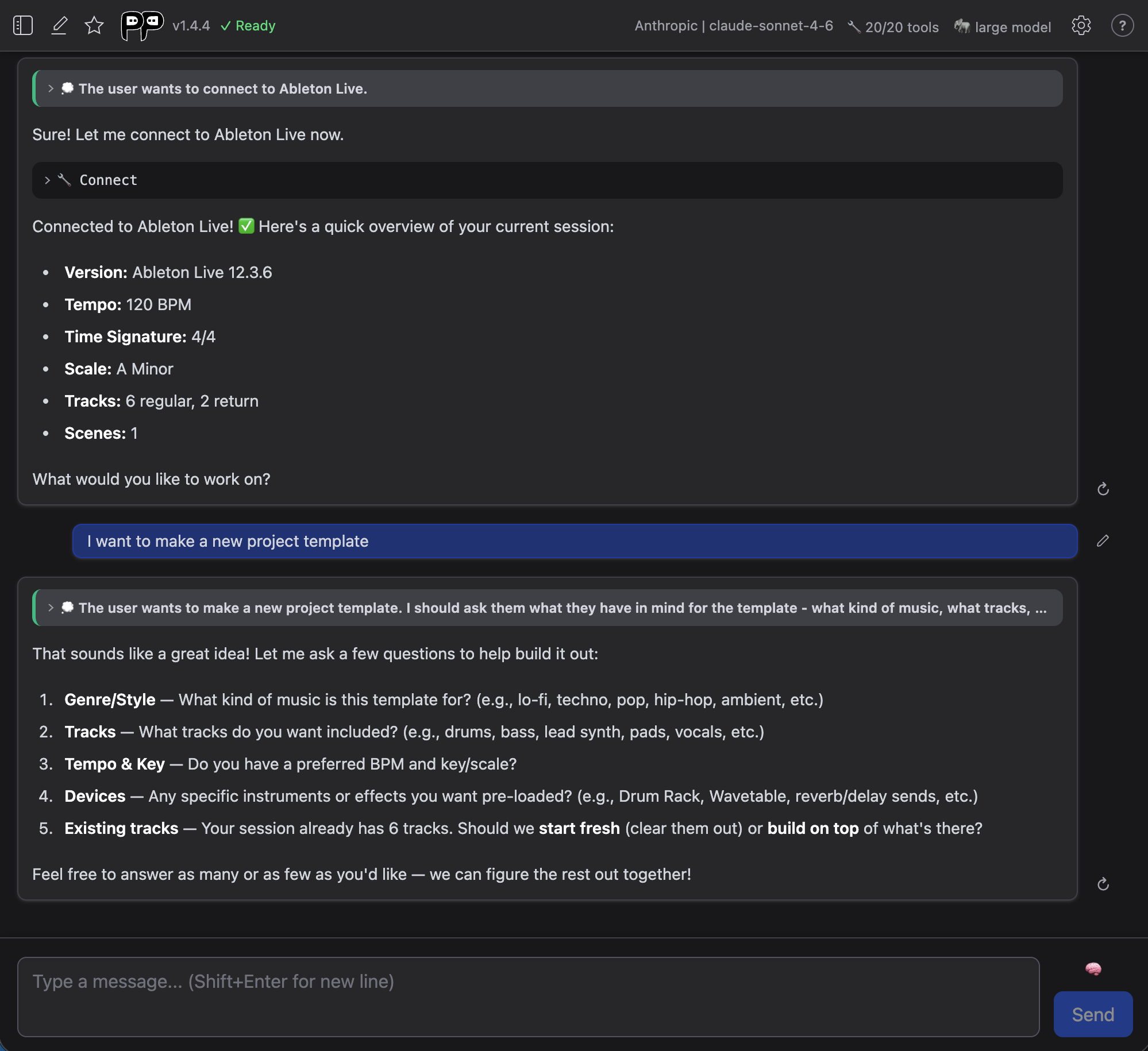
- Click "Quick Connect". It says "Connect to Ableton." for you:
Keep an eye on cost
Online AI charges for what you use. Long chats with the smartest models cost the most, so check your balance on the service's website now and then.
Your API key is stored encrypted in your browser. If you share this computer, delete the key from settings when you're done.
Check It Works
Once connected, the AI confirms it can see your Live Set. Try a first request that doesn't change anything:
What tracks are in my Live Set?
It should list your tracks. If it can't connect or gets something wrong, see Troubleshooting below.
Troubleshooting
If it doesn't work, see the Troubleshooting Guide.