claude.ai Web App
Use Producer Pal in your web browser with Anthropic's chat web app.
Requirements
Ableton Live 12.3+ with Max for Live. Live 12.4 or later is recommended — some features don't work on older versions of Live. Use the version of Max bundled with Live, or make sure your standalone Max is up to date.
Web tunnel (e.g. Cloudflare or Pinggy)
Installation Steps
1. Install the Max for Live Device
Download Producer_Pal.amxd, the Producer Pal Max for Live device, and add it to a MIDI track in Ableton Live:
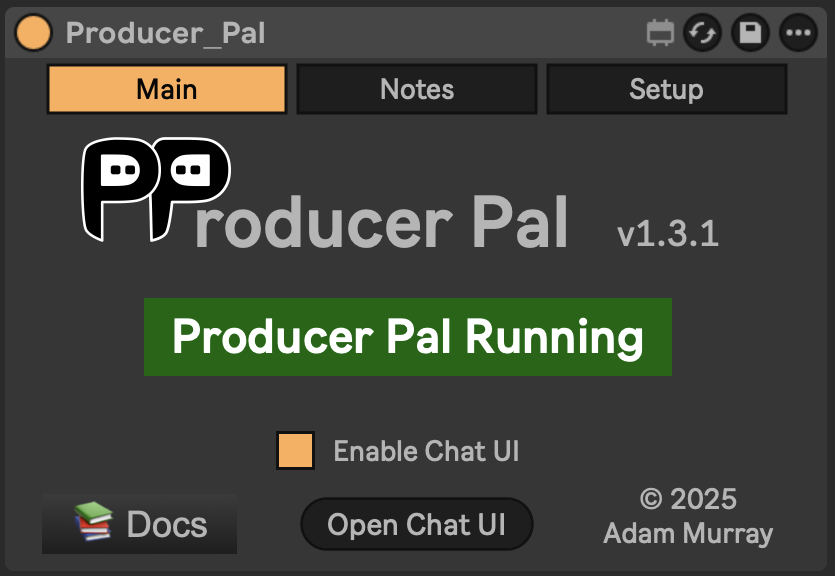
It should display "Producer Pal Running" or something isn't working.
2. Set Up a Web Tunnel
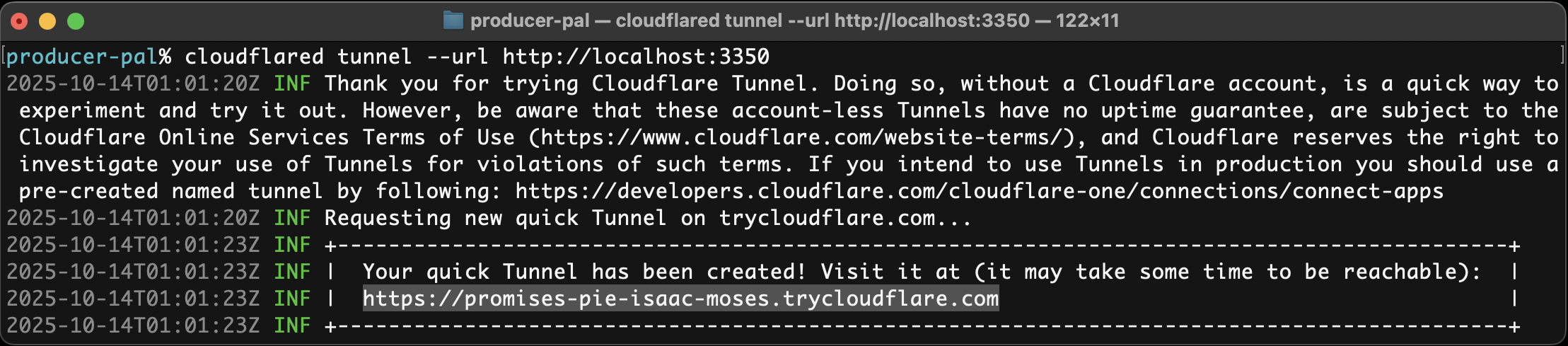
Set up a web tunnel to expose your local Producer Pal server.
For example:
cloudflared tunnel --url http://localhost:3350will give you a public URL such as https://abc-xyz.trycloudflare.com:
3. Configure Claude Web App
Add a custom connector with your tunnel URL +
/mcp(e.g.
https://abc-xyz.trycloudflare.com/mcp):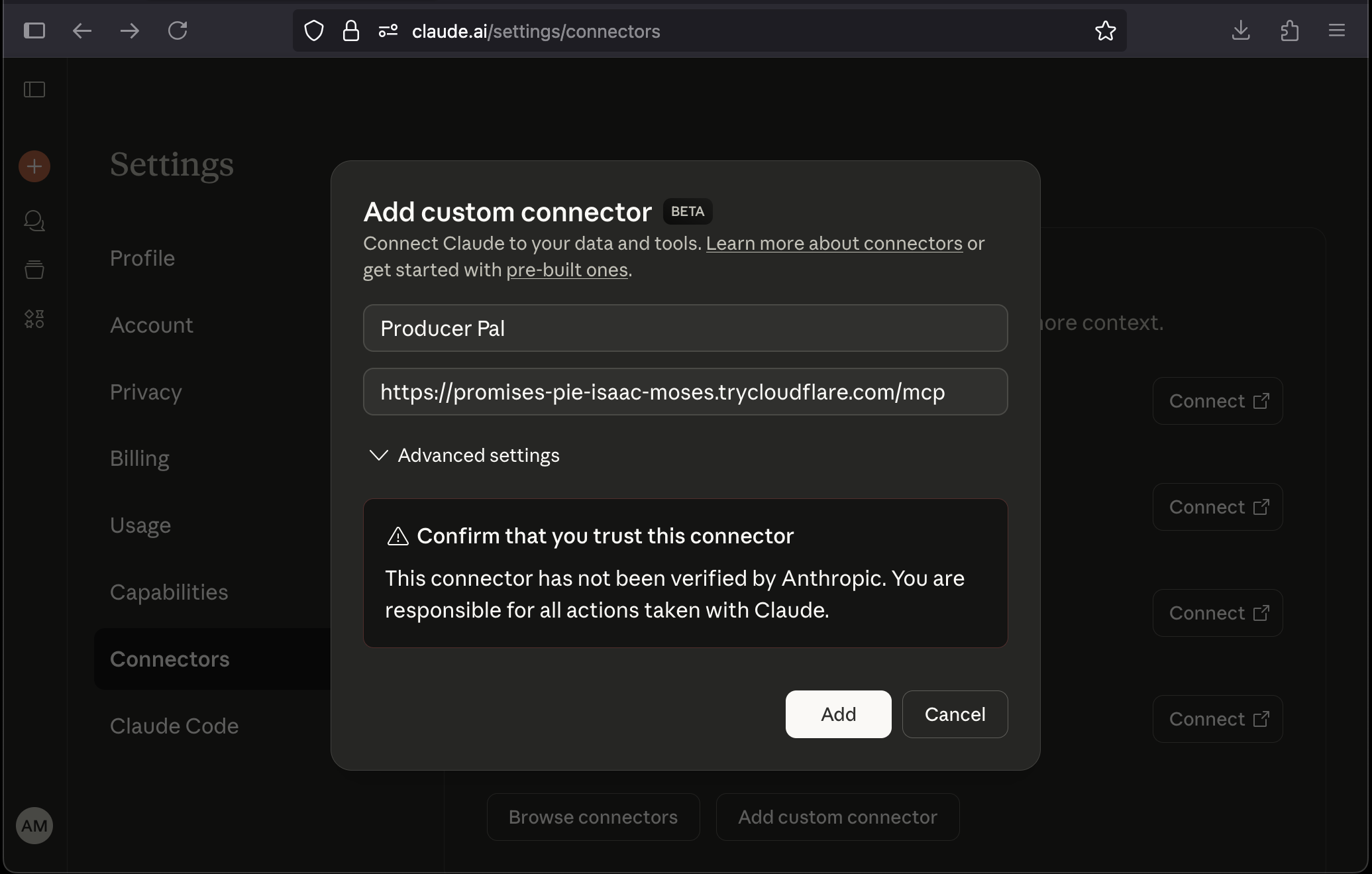
4. Verify Installation
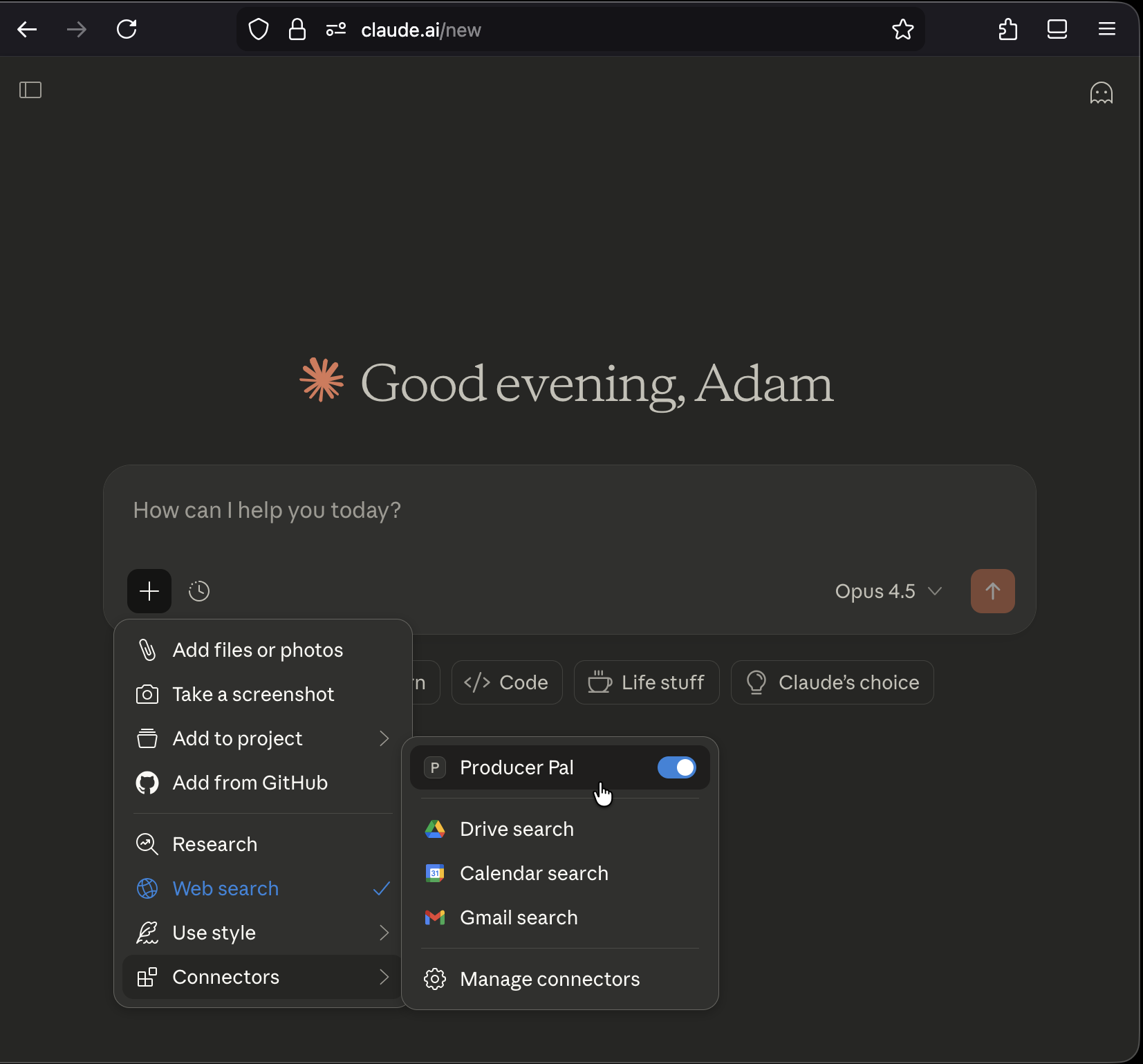
You should see Producer Pal tools in Claude's "Connectors" menu (make sure it's enabled when starting a conversation):
5. Start Using Producer Pal
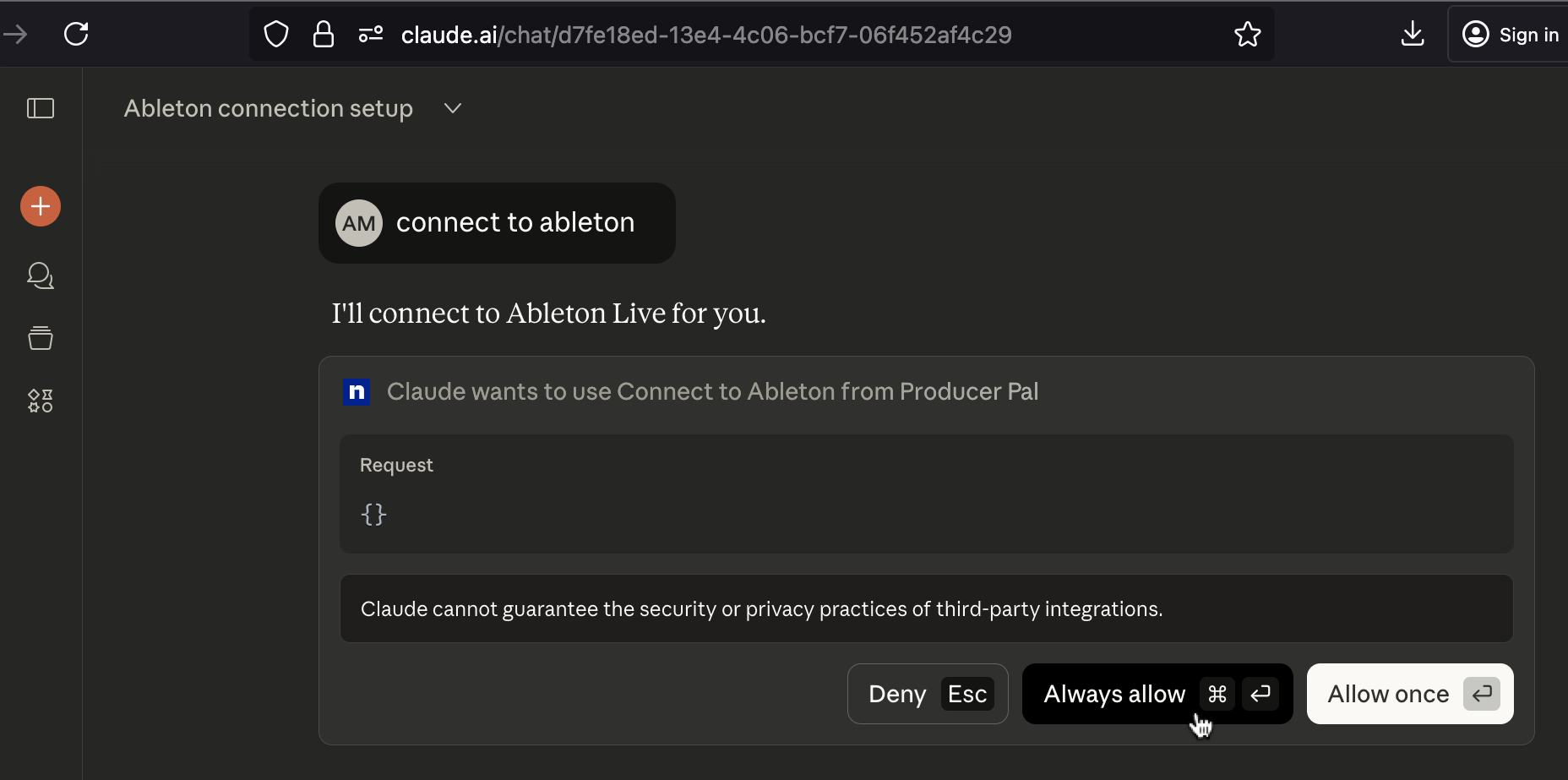
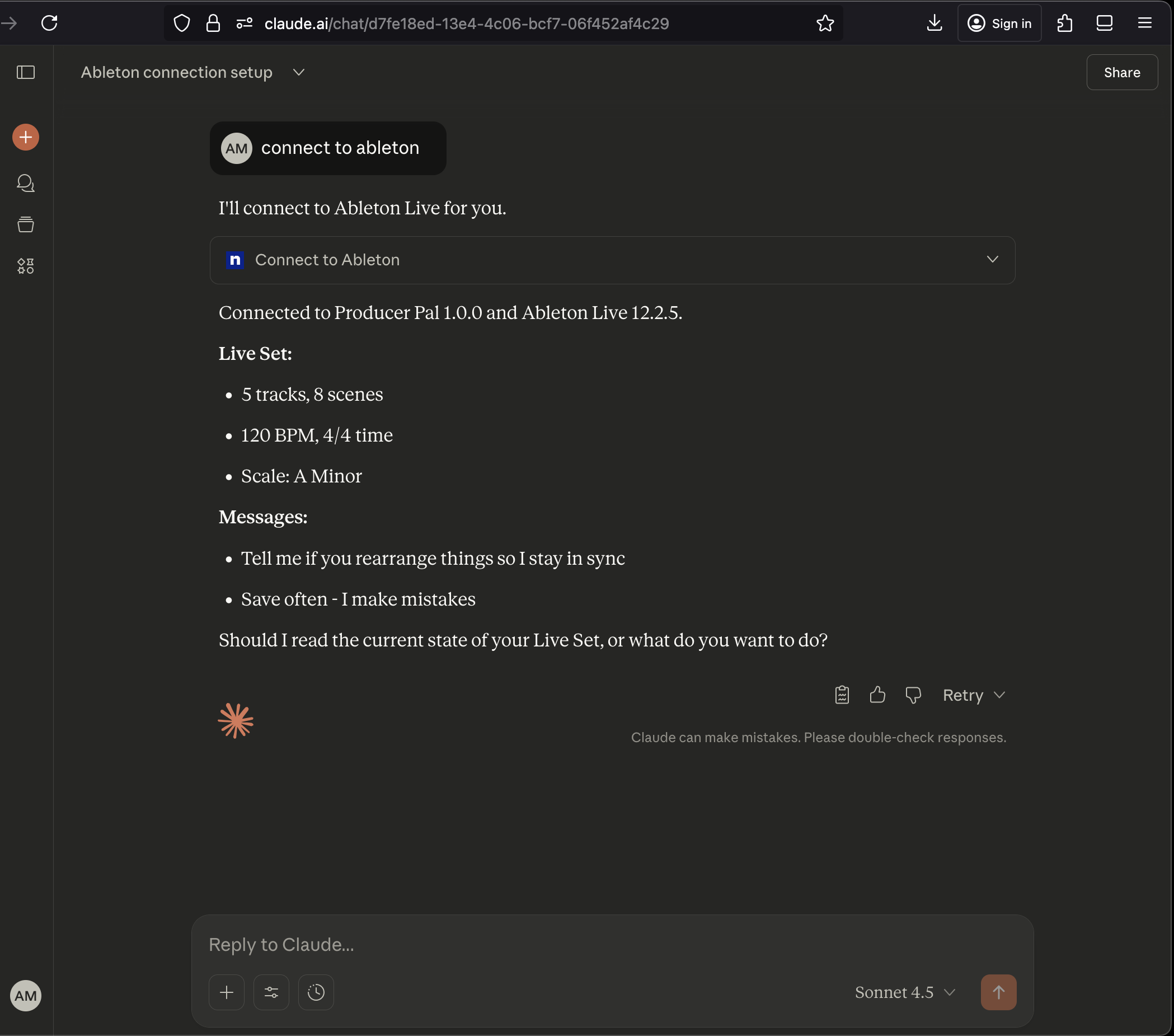
- Start a conversation with "connect to ableton"
- Allow Producer Pal tools to be used when Claude tries to use them:
Troubleshooting
If it doesn't work, see the Troubleshooting Guide.