# Ollama
Run Producer Pal completely offline with local models.
## What You Need
- [Ollama](https://ollama.com/) installed
- [Ableton Live 12.3+](https://www.ableton.com/live/) with
[Max for Live](https://www.ableton.com/live/max-for-live/)
## 1. Install Ollama
Download and install [Ollama](https://ollama.com/) for your operating system.
## 2. Download a Model
Download a model that supports tools. Some good options include:
- `qwen3.5`
- `gemma4`
- `devstral-small-2`
- `glm-4.7-flash`
Browse [models with tool support](https://ollama.com/search?c=tools) on the
Ollama website.
## 3. Install the Max for Live Device
Download
[Producer_Pal.amxd](https://github.com/adamjmurray/producer-pal/releases/latest/download/Producer_Pal.amxd)
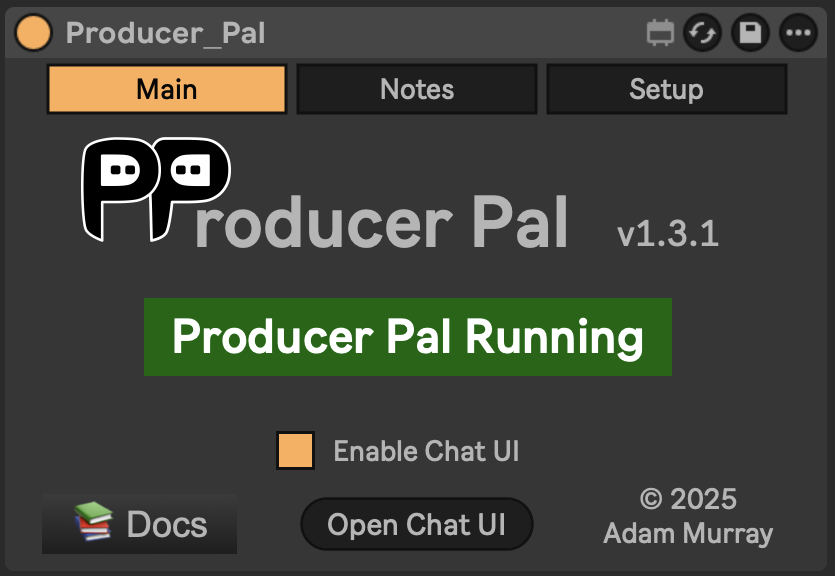
and drag it to a MIDI track in Ableton Live.
It should display "Producer Pal Running":
 ## 4. Enable Small Model Mode (Optional but Recommended)
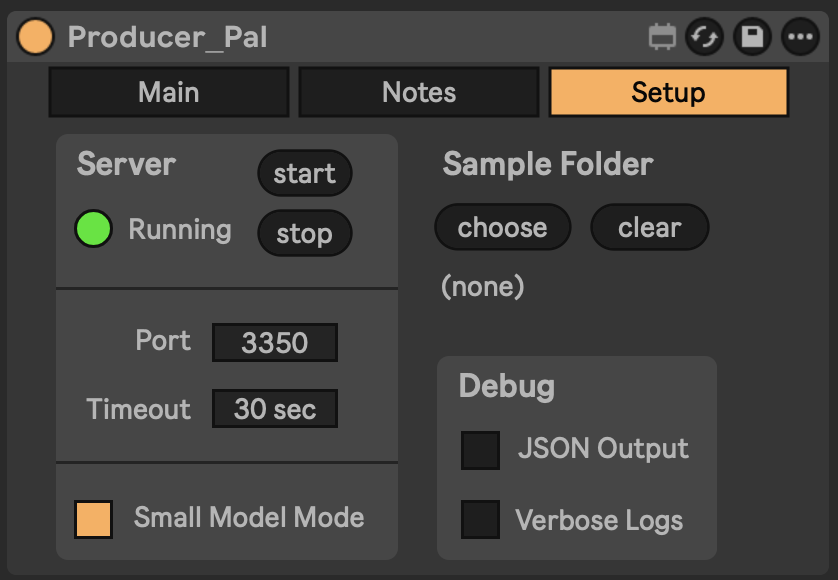
In [the Producer Pal "Setup" tab](/guide/device#setup-tab), enable **Small Model
Mode**.
## 4. Enable Small Model Mode (Optional but Recommended)
In [the Producer Pal "Setup" tab](/guide/device#setup-tab), enable **Small Model
Mode**.
 This provides a smaller, simpler interface optimized for small/local language
models.
## 5. Open the Chat UI
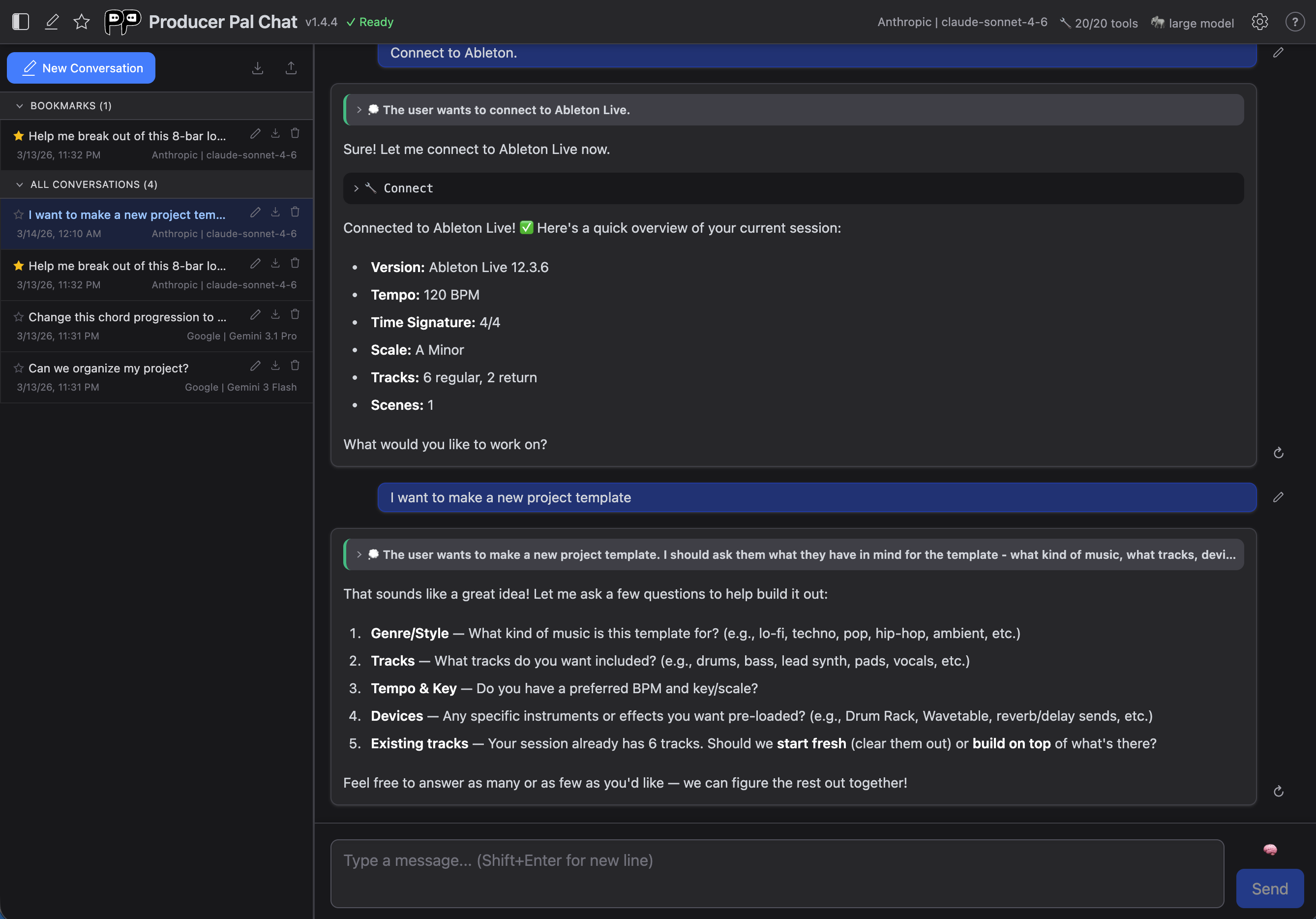
In the Producer Pal device's Main tab, click "Open Chat UI". The built-in chat
UI opens in a browser:
## 6. Configure Ollama
In the chat UI settings:
- Provider: **Ollama (local)**
- URL: `http://localhost:11434`
- Use this default URL when everything runs on the same computer. Change
`localhost` to run Ollama on a different computer. Consult
[the user guide](/guide/chat-ui#local-ai-settings-ollama-lm-studio) for more
info.
- Model: Your model name (e.g., `gemma4` or `qwen3.5`)
Click "Save".
This provides a smaller, simpler interface optimized for small/local language
models.
## 5. Open the Chat UI
In the Producer Pal device's Main tab, click "Open Chat UI". The built-in chat
UI opens in a browser:

## 6. Configure Ollama
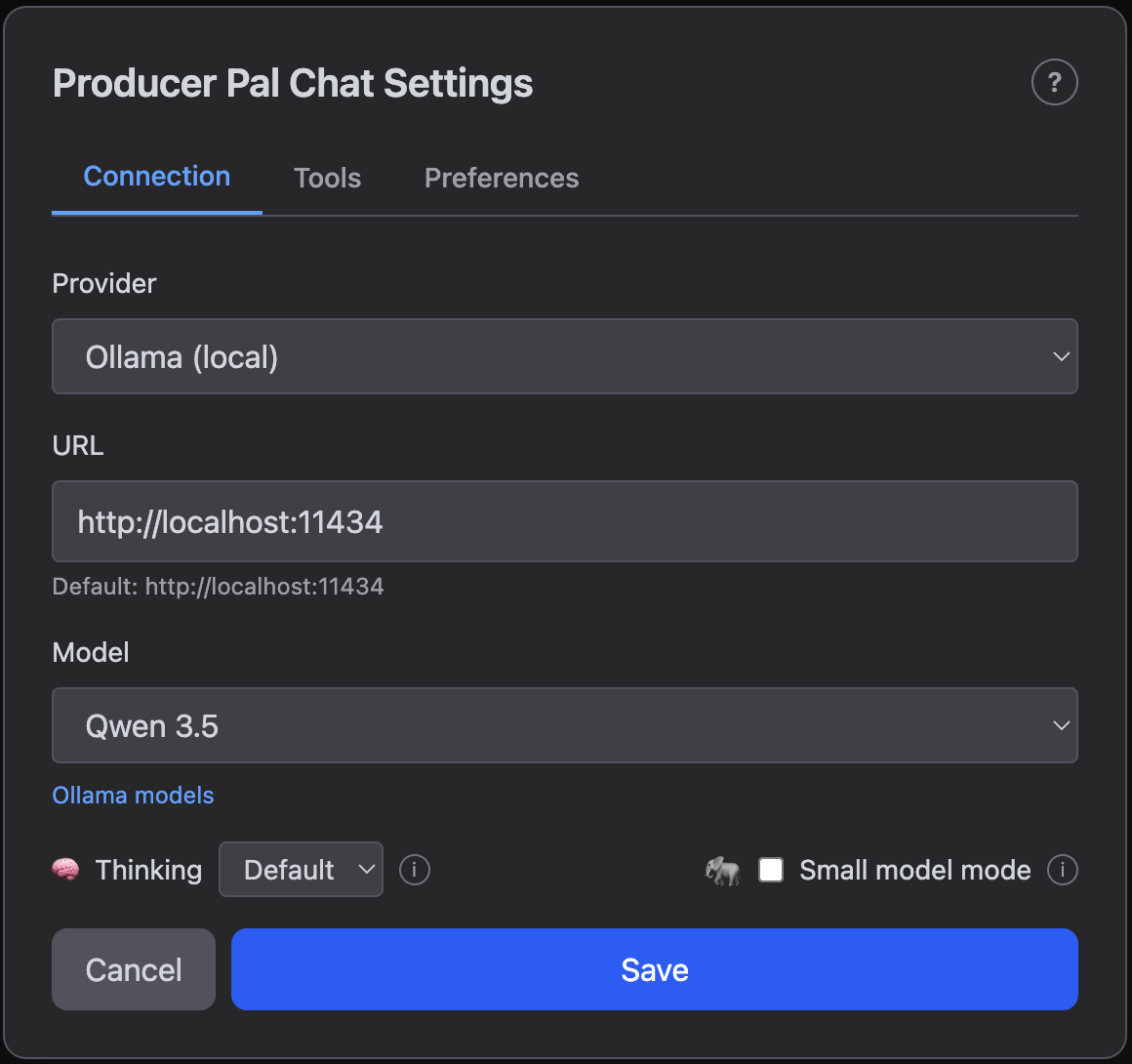
In the chat UI settings:
- Provider: **Ollama (local)**
- URL: `http://localhost:11434`
- Use this default URL when everything runs on the same computer. Change
`localhost` to run Ollama on a different computer. Consult
[the user guide](/guide/chat-ui#local-ai-settings-ollama-lm-studio) for more
info.
- Model: Your model name (e.g., `gemma4` or `qwen3.5`)
Click "Save".
 ::: tip Ollama Model Aliases
If Producer Pal says a model like `qwen3.5` is not installed but you downloaded
`qwen3.5:9b`, that's because Ollama aliases work one way: `qwen3.5` resolves to
`qwen3.5:9b`, but not vice versa. Install `qwen3.5` in Ollama to create the
alias. It won't re-download the model.
:::
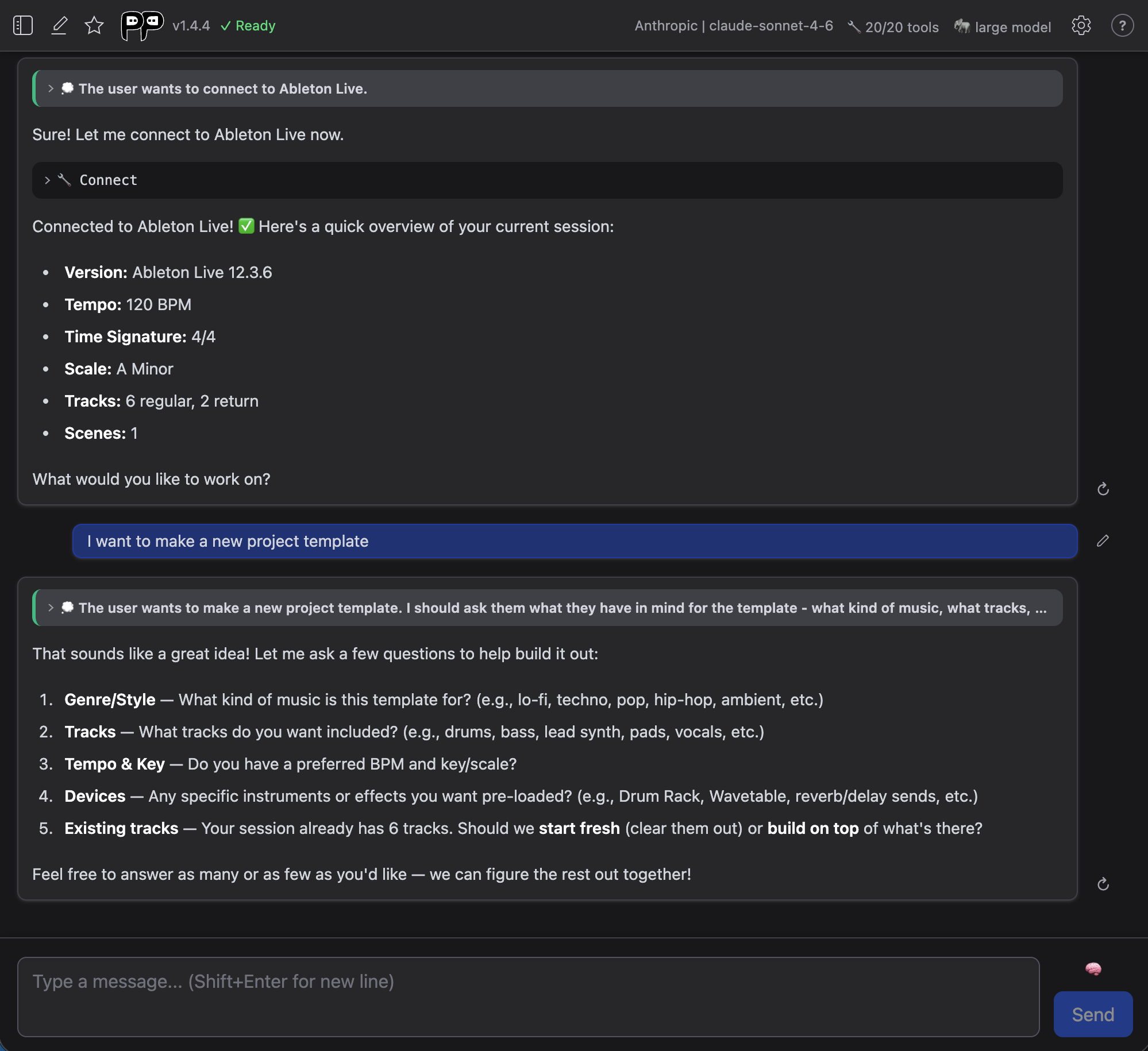
## 7. Connect
Click "Quick Connect" and say "connect to ableton":
::: tip Local Model Limitations
Local models work best for simple tasks. Complex edits may require more capable
cloud models.
:::
## Model Compatibility
If the model responds with garbled text like `<|tool_call_start|>...` or says it
can't connect to Ableton, the model doesn't support tools. Try a different model
from the [tools category](https://ollama.com/search?c=tools).
## Troubleshooting
If it doesn't work, see the [Troubleshooting Guide](/support/troubleshooting).
::: tip Ollama Model Aliases
If Producer Pal says a model like `qwen3.5` is not installed but you downloaded
`qwen3.5:9b`, that's because Ollama aliases work one way: `qwen3.5` resolves to
`qwen3.5:9b`, but not vice versa. Install `qwen3.5` in Ollama to create the
alias. It won't re-download the model.
:::
## 7. Connect
Click "Quick Connect" and say "connect to ableton":

::: tip Local Model Limitations
Local models work best for simple tasks. Complex edits may require more capable
cloud models.
:::
## Model Compatibility
If the model responds with garbled text like `<|tool_call_start|>...` or says it
can't connect to Ableton, the model doesn't support tools. Try a different model
from the [tools category](https://ollama.com/search?c=tools).
## Troubleshooting
If it doesn't work, see the [Troubleshooting Guide](/support/troubleshooting).