# ChatGPT App
OpenAI's ChatGPT desktop app is an easy way to use Producer Pal with an OpenAI
account.
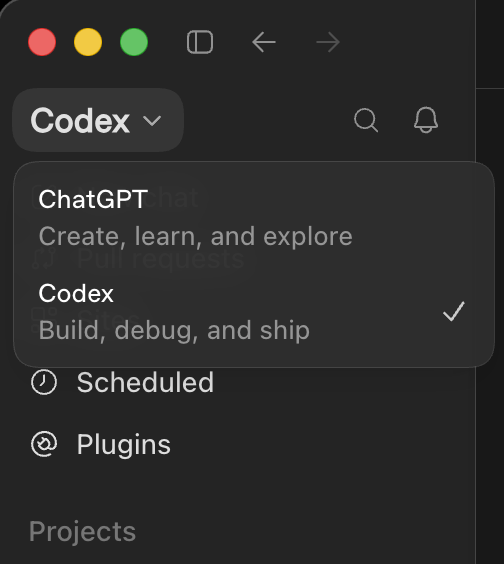
::: warning Use Codex mode, not ChatGPT
Producer Pal only works in the app's **Codex** mode. MCP servers are configured
on the Codex side, and the tools aren't reachable from ChatGPT (Chat or Work).
Switch with the mode dropdown at the top of the sidebar:
 :::
::: info Formerly the Codex app
In July 2026, OpenAI merged the Codex app into the ChatGPT desktop app, which
now has ChatGPT (Chat and Work) and Codex together in one app. If you had the
Codex app installed, it updated into this app and kept your projects and
settings.
The older ChatGPT desktop app is now called "ChatGPT Classic". Setup there is
similar, but it's no longer officially supported — the new app is recommended.
:::
::: warning macOS and Windows Only
The ChatGPT desktop app runs on macOS (Apple Silicon) and Windows. On Linux, see
[Codex CLI](./codex-cli) or the [ChatGPT web app](./chatgpt-web).
:::
## Requirements
- [Ableton Live 12.3+](https://www.ableton.com/live/) with
[Max for Live](https://www.ableton.com/live/max-for-live/). Live 12.4 or later
is recommended — some features don't work on older versions of Live. Use the
version of Max bundled with Live, or make sure your standalone Max is up to
date.
- [Node.js 22+](https://nodejs.org/en/download) (required by Codex; Producer Pal
itself only needs 20+)
- [ChatGPT desktop app](https://chatgpt.com/download) (requires an OpenAI
account) — use the main download button. The same page also offers **ChatGPT
Classic**, which is the older app, not this one.
- A paid ChatGPT plan (MCP servers aren't available on the free plan)
## Installation Steps
### 1. Install the Max for Live Device
Download
[Producer_Pal.amxd](https://github.com/adamjmurray/producer-pal/releases/latest/download/Producer_Pal.amxd),
the Producer Pal Max for Live device, and add it to a MIDI track in Ableton
Live:
:::
::: info Formerly the Codex app
In July 2026, OpenAI merged the Codex app into the ChatGPT desktop app, which
now has ChatGPT (Chat and Work) and Codex together in one app. If you had the
Codex app installed, it updated into this app and kept your projects and
settings.
The older ChatGPT desktop app is now called "ChatGPT Classic". Setup there is
similar, but it's no longer officially supported — the new app is recommended.
:::
::: warning macOS and Windows Only
The ChatGPT desktop app runs on macOS (Apple Silicon) and Windows. On Linux, see
[Codex CLI](./codex-cli) or the [ChatGPT web app](./chatgpt-web).
:::
## Requirements
- [Ableton Live 12.3+](https://www.ableton.com/live/) with
[Max for Live](https://www.ableton.com/live/max-for-live/). Live 12.4 or later
is recommended — some features don't work on older versions of Live. Use the
version of Max bundled with Live, or make sure your standalone Max is up to
date.
- [Node.js 22+](https://nodejs.org/en/download) (required by Codex; Producer Pal
itself only needs 20+)
- [ChatGPT desktop app](https://chatgpt.com/download) (requires an OpenAI
account) — use the main download button. The same page also offers **ChatGPT
Classic**, which is the older app, not this one.
- A paid ChatGPT plan (MCP servers aren't available on the free plan)
## Installation Steps
### 1. Install the Max for Live Device
Download
[Producer_Pal.amxd](https://github.com/adamjmurray/producer-pal/releases/latest/download/Producer_Pal.amxd),
the Producer Pal Max for Live device, and add it to a MIDI track in Ableton
Live:
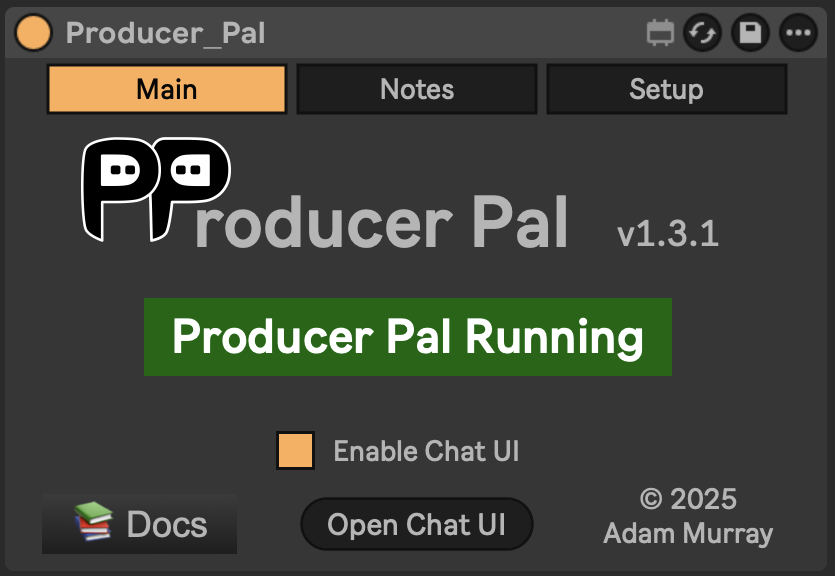 _It should display "Producer Pal Running" or something isn't working._
### 2. Add Producer Pal to ChatGPT
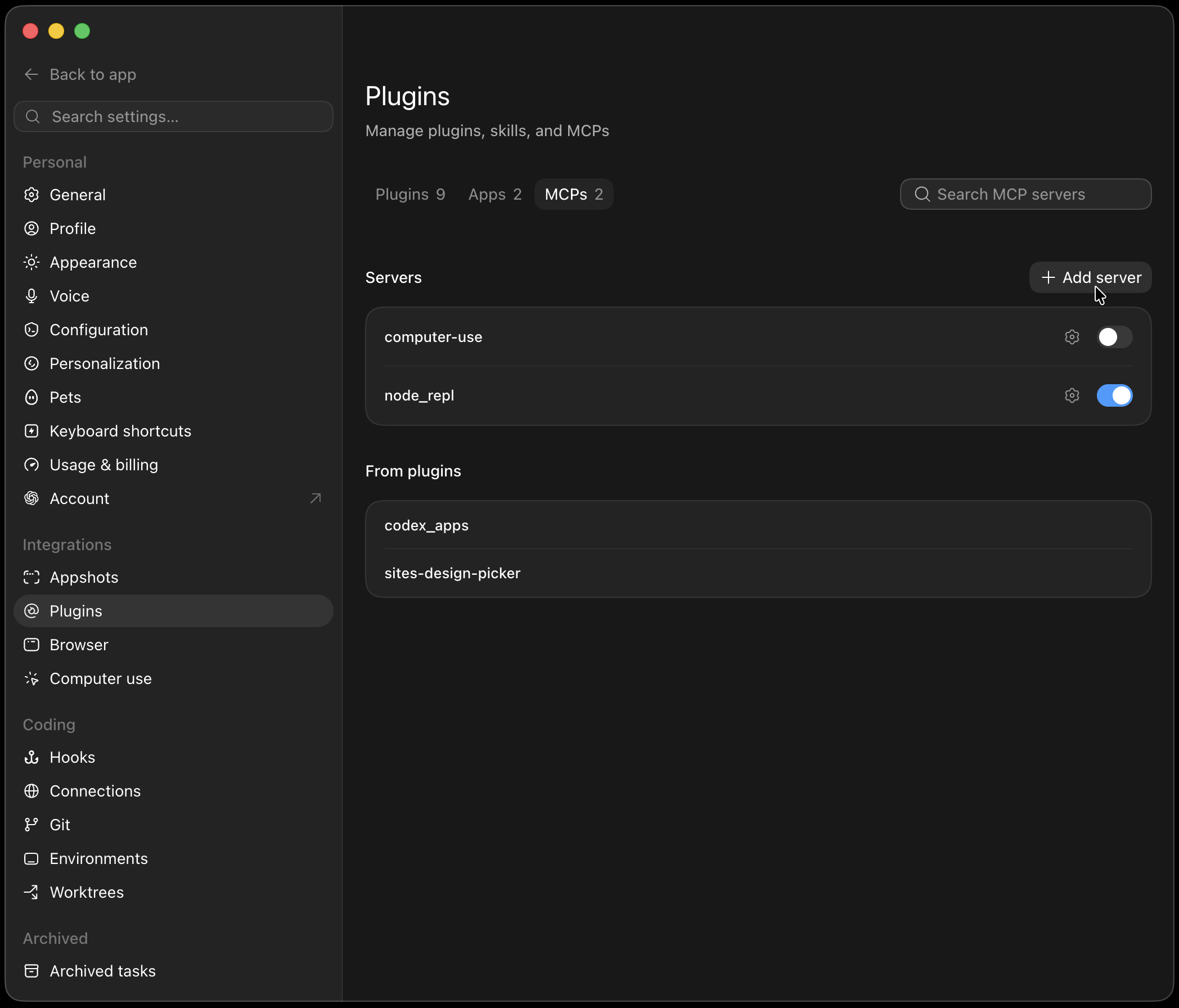
In the ChatGPT app, go to Settings → Plugins → MCPs and click "+ Add
server":
_It should display "Producer Pal Running" or something isn't working._
### 2. Add Producer Pal to ChatGPT
In the ChatGPT app, go to Settings → Plugins → MCPs and click "+ Add
server":
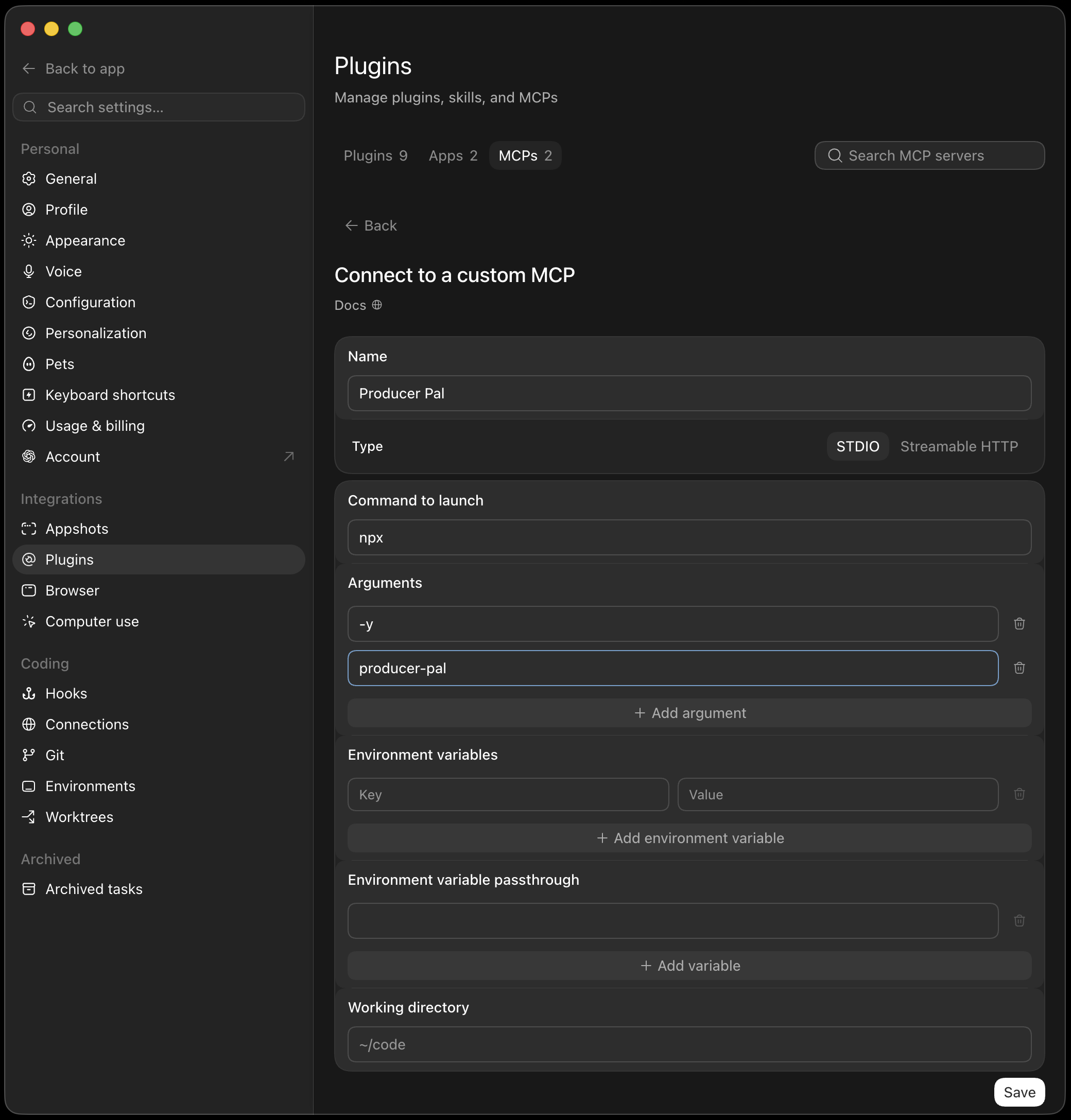
**Option A: With npx (recommended)** — Allows flexible startup order and
auto-reconnection:
Set **Type** to **STDIO** and fill in:
- **Name:** `Producer Pal`
- **Command to launch:** `npx`
- **Arguments:** `-y` and `producer-pal` as separate entries (click "+ Add
argument" for each one)
**Option B: Direct HTTP** — Requires Ableton running first, no
auto-reconnection:
Set **Type** to **Streamable HTTP** and fill in:
- **Name:** `Producer Pal`
- **URL:** `http://localhost:3350/mcp`
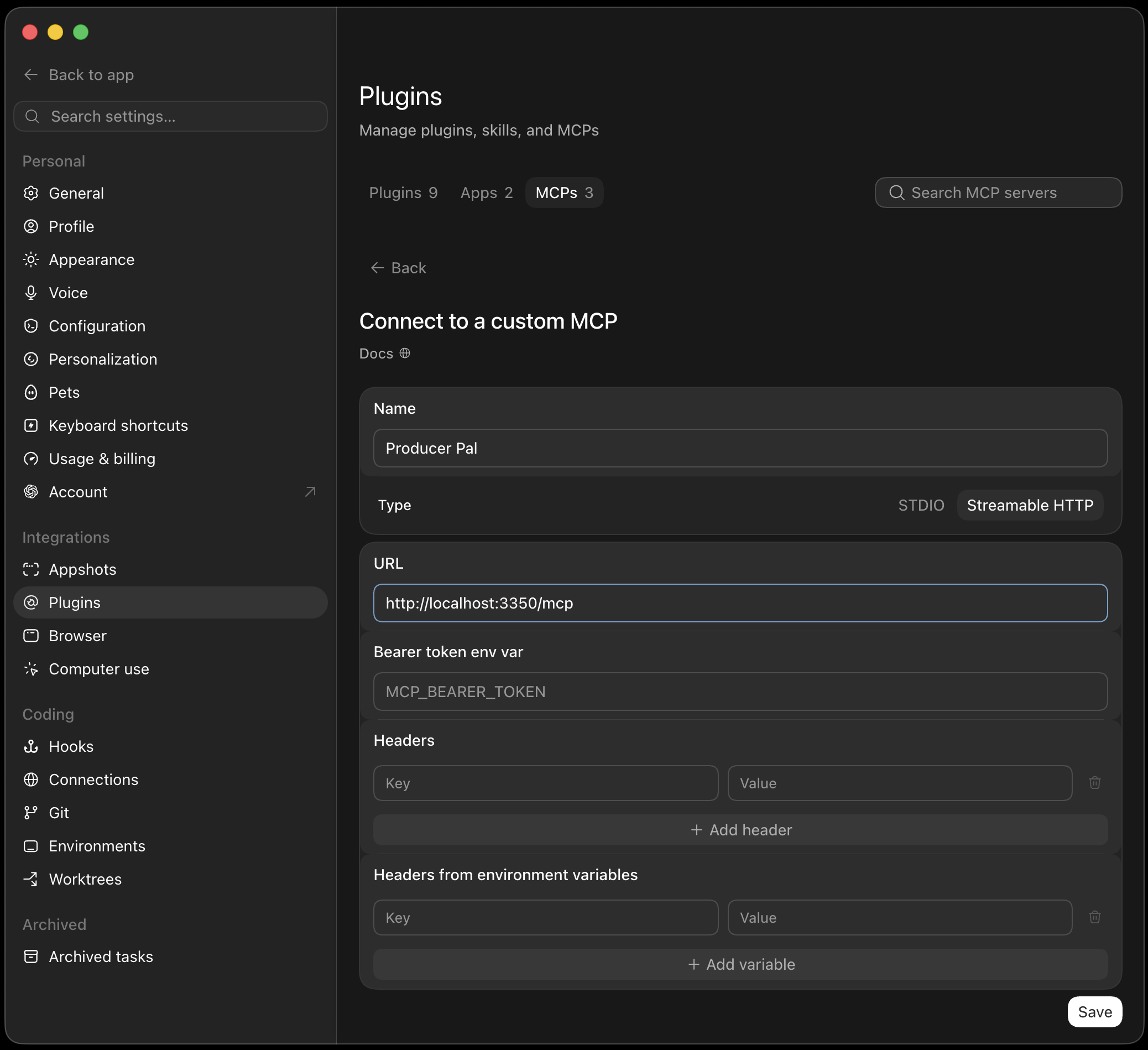 Save the server, then select **Restart** so ChatGPT picks it up.
::: tip Shared with Codex CLI
The desktop app, [Codex CLI](./codex-cli), and the Codex IDE extension share the
same MCP configuration (`~/.codex/config.toml`), so adding Producer Pal in one
place makes it available in the others.
:::
### 3. Start a Conversation
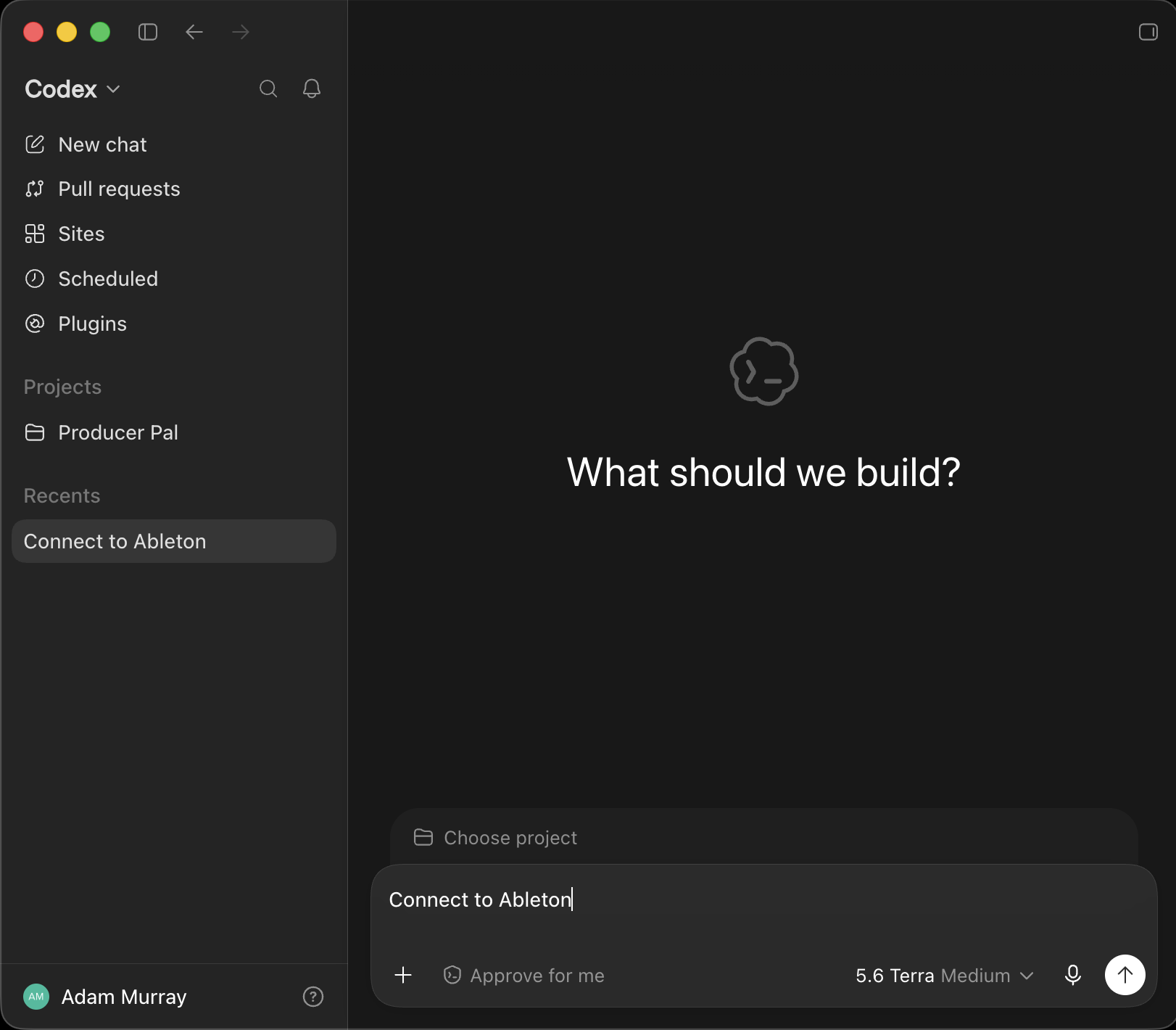
Check that the mode dropdown at the top of the sidebar says **Codex**.
Codex works in a project, chosen with **Choose project** above the composer. An
empty folder is recommended for Producer Pal sessions (shown as **Producer Pal**
in the screenshot). Feel free to put reference documents in it, such as common
workflow instructions or details of your preferred musical style and production
techniques.
Start a conversation with "connect to ableton":
Save the server, then select **Restart** so ChatGPT picks it up.
::: tip Shared with Codex CLI
The desktop app, [Codex CLI](./codex-cli), and the Codex IDE extension share the
same MCP configuration (`~/.codex/config.toml`), so adding Producer Pal in one
place makes it available in the others.
:::
### 3. Start a Conversation
Check that the mode dropdown at the top of the sidebar says **Codex**.
Codex works in a project, chosen with **Choose project** above the composer. An
empty folder is recommended for Producer Pal sessions (shown as **Producer Pal**
in the screenshot). Feel free to put reference documents in it, such as common
workflow instructions or details of your preferred musical style and production
techniques.
Start a conversation with "connect to ableton":
 ### 4. Verify Connection
You should see a successful connection to Ableton Live:
### 4. Verify Connection
You should see a successful connection to Ableton Live:
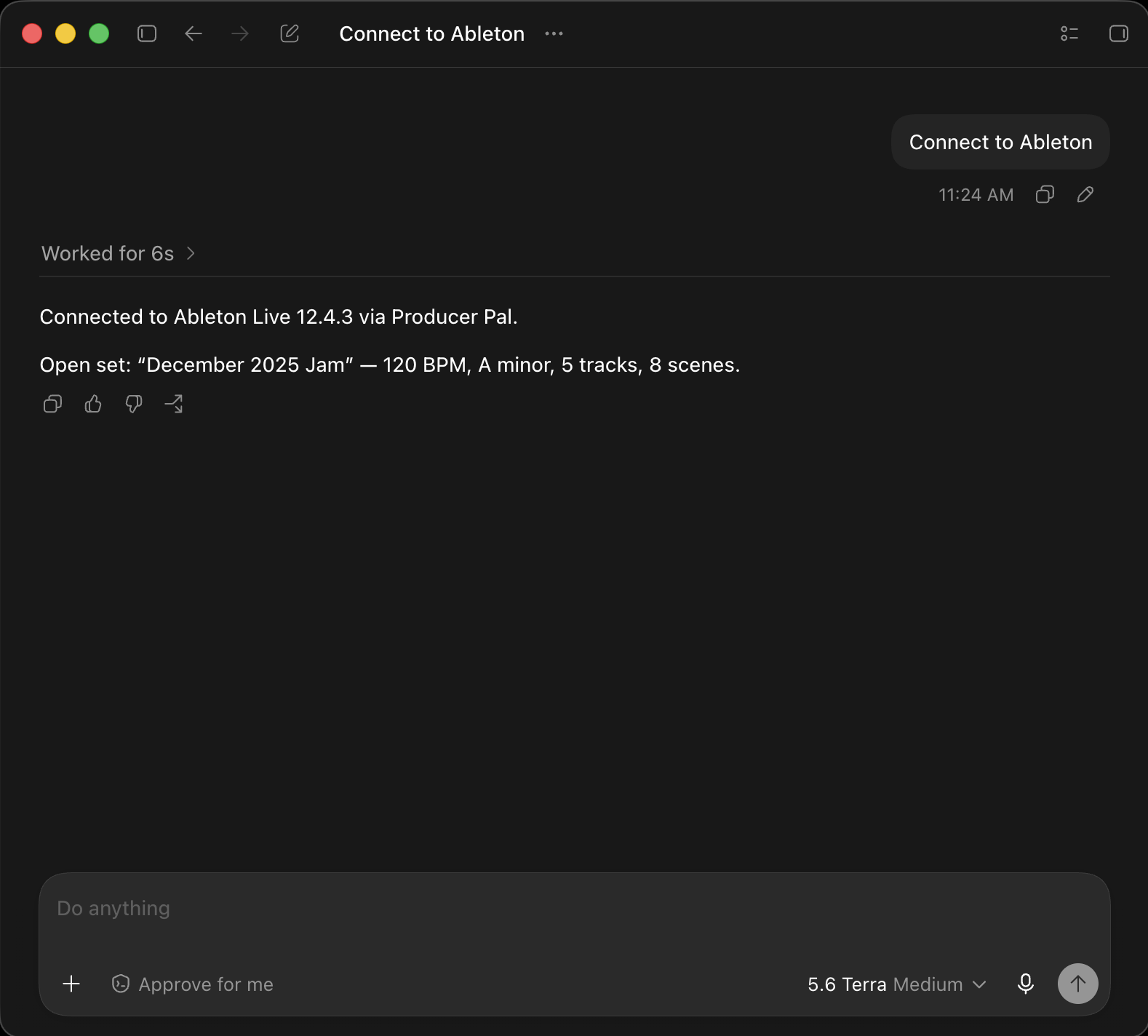 You can also type `/mcp` in the composer to see the connected MCP servers.
## Troubleshooting
If it doesn't work, see the [Troubleshooting Guide](/support/troubleshooting).
You can also type `/mcp` in the composer to see the connected MCP servers.
## Troubleshooting
If it doesn't work, see the [Troubleshooting Guide](/support/troubleshooting).